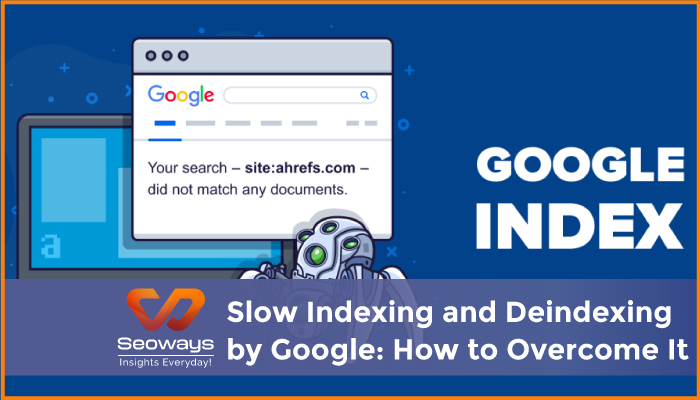
One of the most frustrating experiences for website owners and SEO professionals is slow indexing or unexpected deindexing by Google. You spend hours creating high quality content, optimizing your pages, and building backlinks, only to find that your pages are not appearing in search results or disappearing after previously ranking. Understanding why this happens and how to address it is crucial for maintaining and improving organic visibility.
In this article, I will share insights from my experience with multiple websites, explain the reasons behind slow indexing and deindexing, and provide actionable strategies to overcome these challenges.
Before diving into solutions, it is important to understand what indexing and deindexing mean.
Slow indexing can occur for new websites, content that is not well structured, or pages on sites with low authority. Deindexing often happens due to technical issues, policy violations, or duplicate content.
I once worked with a small ecommerce site where new product pages were taking weeks to appear in search results. By analyzing the site, we discovered several technical issues that were preventing proper crawling and indexing. Fixing these issues accelerated indexing dramatically.
Google prioritizes crawling and indexing websites it trusts. New or low authority sites often experience delays because Google allocates resources based on trust and relevance.
Issues such as broken links, slow loading pages, improper canonical tags, or blocked robots.txt can prevent Google from indexing content efficiently.
Pages that are not linked well from other pages on the site may remain undiscovered. Google’s crawlers follow links to find content. Without a strong internal linking structure, some pages may take longer to be indexed.
Google avoids indexing duplicate content or pages with minimal value. If multiple pages have similar content or little unique information, indexing can be delayed or avoided.
XML sitemaps help Google discover new pages quickly. Sites without proper sitemaps may experience slower indexing times.
Google may remove pages or entire websites if they violate guidelines, such as engaging in spammy link building, keyword stuffing, or hosting malicious content.
Server errors, improper redirects, and broken canonical tags can lead to pages being deindexed unexpectedly.
Pages that provide no unique value or duplicate content from other sites may be removed from the index.
Major website redesigns, URL changes, or domain migrations can cause pages to disappear if redirects are not implemented correctly.
I have encountered a case where a client’s blog posts were deindexed after a site migration. The issue was traced to missing 301 redirects. Once we corrected the redirects, pages were gradually restored in Google’s index.
Crawl budget refers to the number of pages Googlebot crawls on your site in a given period. Optimizing crawl budget ensures that important pages are discovered faster.
For one client, reducing unnecessary pages and optimizing load times improved the indexing speed of new content significantly.
A clear hierarchical structure with proper internal linking allows Google to navigate your site efficiently.
I implemented this for a local services website. Pages that previously took weeks to index appeared within days after improving the internal linking structure.
Regularly submit updated XML sitemaps to Google Search Console. Include only pages you want indexed and remove outdated or low quality pages.
Sitemaps act as a roadmap for crawlers. For a client in the health niche, submitting sitemaps accelerated indexing of new articles by almost 50 percent.
Google Search Console offers a feature to request indexing. While it is not instantaneous, it signals to Google that new content should be prioritized.
I frequently use this feature for time sensitive content such as product launches or news updates. It ensures that pages are discovered faster.
Content that provides real value is more likely to be indexed quickly. Avoid thin or duplicate content. Incorporate examples, visuals, and actionable insights.
A travel blog client I worked with saw faster indexing after we enriched articles with local tips, maps, and original photographs.
Backlinks from authoritative websites help Google discover new pages faster. Even a few high quality links can trigger indexing of important pages.
For a technology startup, acquiring a mention on a popular industry blog led to immediate indexing of several new product pages.
Check Google Search Console for manual actions, errors, or warnings. Determine if deindexing is due to technical issues, duplicate content, or guideline violations.
Ensure proper server response codes, canonical tags, redirects, and XML sitemaps. Correcting these often restores deindexed pages.
If multiple pages have the same content, consolidate them or use canonical tags to indicate the preferred version.
If a manual action is responsible, fix the issue and submit a reconsideration request to Google.
In one instance, a client faced deindexing due to a thin content issue. After enhancing content quality and submitting a reconsideration request, most pages were restored within a few weeks.
Continuous monitoring using Search Console and Analytics helps catch indexing issues early and prevents major deindexing events.
I always advise clients to treat indexing as an ongoing process. Regular maintenance prevents slow indexing and reduces the risk of deindexing, ensuring consistent search visibility.
Slow indexing and deindexing by Google can be frustrating, but understanding the underlying causes allows website owners to address these challenges effectively. By focusing on technical optimization, site structure, high quality content, and backlinks, you can improve indexing speed and prevent deindexing issues.
From my experience, patience and consistent optimization are key. Pages that are carefully maintained and structured with quality content almost always achieve faster indexing and stay safely in Google’s index.
| Section | Key Points |
| Introduction | Overview of slow indexing and deindexing issues |
| Understanding Indexing | Definition of indexing and deindexing |
| Reasons for Slow Indexing | Low authority, technical issues, poor internal linking, duplicate content, lack of sitemaps |
| Causes of Deindexing | Manual actions, technical errors, duplicate content, site changes |
| Strategies to Overcome Slow Indexing | Optimize crawl budget, improve site structure, submit sitemaps, fetch as Google, quality content, backlinks |
| Strategies to Recover Deindexed Pages | Identify cause, fix technical issues, remove duplicates, request reconsideration, monitor regularly |
| Additional Tips | Speed, mobile friendliness, content updates, URL structure, monitoring |
| Conclusion | Patience and consistent optimization ensure better indexing |


Request your best quote today!”

With the #1 Digital Marketing Agency!
We specialize in SEO, driving traffic, enhancing online visibility, and transforming markets with innovative strategies.
Seoways LLP,
1st Floor, SKK Complex,
Mohanur Road,
TN – 637001
Skype/Telegram: Seoways
Phone: +91 959 77 00 888