
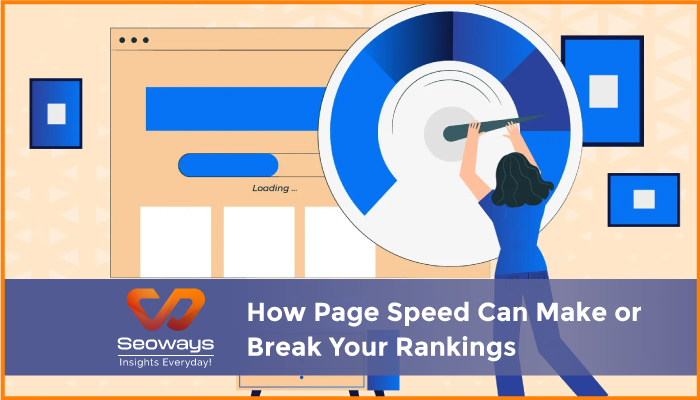
The internet has made us impatient creatures. A two-second delay feels like forever. I’ve clicked on links, waited just a moment too long, and instantly hit the back button. You probably have too. That’s the silent killer of websites: page speed.
Search engines know this human habit all too well. Google, Bing, and now even AI-driven tools understand that if a page loads slowly, users vanish. That’s why page speed isn’t just about performance anymore—it’s about survival. Your rankings, traffic, and even conversions hinge on it.
When I first started working on SEO projects, I underestimated how much speed mattered. I was obsessed with content and backlinks. But then I had a client with fantastic content who kept slipping down the rankings. When I dug deeper, I found their site was crawling at a snail’s pace. We fixed the speed, and like magic, their visibility shot up. That was my wake-up call.
So let’s break this down and see why page speed matters, how it affects rankings, and what you can actually do about it.
Page speed isn’t only about numbers on a testing tool. It’s about the user experience. Imagine visiting an online store where images take forever to load. Would you wait? Probably not. You’d switch to a competitor without thinking twice.
Search engines track that behavior. If people keep bouncing off your site, it signals to Google that your content might not be worth ranking. Even if your content is amazing, a slow site whispers, “This isn’t reliable.”
I once did a test between two blogs in the same niche. One loaded in under two seconds, the other in six. The faster blog consistently outperformed the other in rankings, even though the slower one arguably had better articles. That’s the cruel truth of speed—it rewards efficiency, not just quality.
Google officially made page speed a ranking factor years ago. But in 2025, it’s even more critical. With Core Web Vitals, the focus isn’t just on how fast a page loads but also how smooth it feels.
Metrics like Largest Contentful Paint (LCP), First Input Delay (FID), and Cumulative Layout Shift (CLS) are now baked into how Google measures your site. If these numbers look bad, your chances of holding top positions shrink.
And here’s the kicker—AI-driven search tools also prefer faster-loading sites because they’re easier to crawl, process, and recommend to users.
Rankings are only half the story. A fast-loading site directly influences your bottom line.
Amazon once reported that every 100 milliseconds of delay cost them millions in sales. Now, you and I probably don’t run billion-dollar companies, but the principle holds true. If visitors wait too long, they don’t convert.
I’ve seen this firsthand with a client’s e-commerce store. Their checkout page was painfully slow—images, scripts, everything weighed it down. Once we streamlined it, their cart abandonment rate dropped by 20 percent. That’s the kind of real-world impact page speed has.
Most websites don’t even realize why they’re slow. Here are some frequent offenders:
I once inherited a site where the homepage was nearly 20 MB because of uncompressed images. No wonder it crawled. Simply optimizing those images cut the size to 3 MB and halved the load time.
Improving speed doesn’t always require a full rebuild. Sometimes small tweaks make a huge difference.
Personally, switching to a reliable hosting provider gave me the biggest lift. My personal blog went from a sluggish five seconds to under two.
Before fixing anything, you need to measure. Luckily, there are free tools that give you insights:
These tools highlight not just speed but also Core Web Vitals. Don’t get overwhelmed by every recommendation—focus on the big wins like images, hosting, and caching.
We live in a mobile-first world. If your site loads fine on desktop but crawls on mobile, you’re in trouble. Google primarily looks at mobile performance for rankings.
I once tested a client’s site that looked perfect on my laptop. But when I opened it on my phone using mobile data, it was a nightmare. That’s when I realized—always test on real devices, not just tools.
One of my most memorable projects was with a travel blog. They had great content, stunning photography, and a loyal audience. But traffic kept dipping.
After testing, we discovered their beautiful high-resolution photos were crushing load times. We resized and compressed every image, implemented a CDN, and improved caching. Within three months, their average load time dropped from 7 seconds to 2.8 seconds. Rankings recovered, and their organic traffic jumped by 40 percent.
The lesson? Beauty means nothing if no one waits to see it.
Here’s the tricky part. People want sites that look modern and interactive, but heavy designs often slow things down. The balance lies in prioritizing functionality over fluff.
Do you really need that auto-playing video on your homepage? Does every button need fancy animations? Sometimes simple wins.
I’ve had clients resist removing flashy elements because they “looked cool.” But once we stripped them back, their conversions improved. Visitors appreciate speed more than special effects.
Looking ahead, speed will only grow in importance. With AI-driven search tools recommending sites, performance is a deciding factor. A slow-loading site may never even get considered for voice search or AI summaries.
In other words, speed isn’t just about SEO anymore—it’s about staying relevant in a world where attention spans are shrinking.
| Section | Key Insight | Why It Matters |
| Introduction | Why speed matters | First impression of importance |
| Beyond Speed | User experience focus | Shows bigger picture |
| Ranking Impact | Core Web Vitals | Direct connection to SEO |
| Conversions | Sales and signups | Links speed to money |
| Common Issues | Main culprits | Identifies what slows sites |
| Fixes | Practical solutions | Easy wins for speed |
| Testing | Tools and tips | Helps measure progress |
| Mobile Focus | Mobile-first performance | Aligns with Google priorities |
| Real-Life Example | Travel blog recovery | Proof in practice |
| Design vs Speed | Balance challenge | Keeps sites user friendly |
| Future | AI and speed | Prepares for what’s next |


Request your best quote today!”

With the #1 Digital Marketing Agency!
We specialize in SEO, driving traffic, enhancing online visibility, and transforming markets with innovative strategies.
Seoways LLP,
1st Floor, SKK Complex,
Mohanur Road,
TN – 637001
Skype/Telegram: Seoways
Phone: +91 959 77 00 888