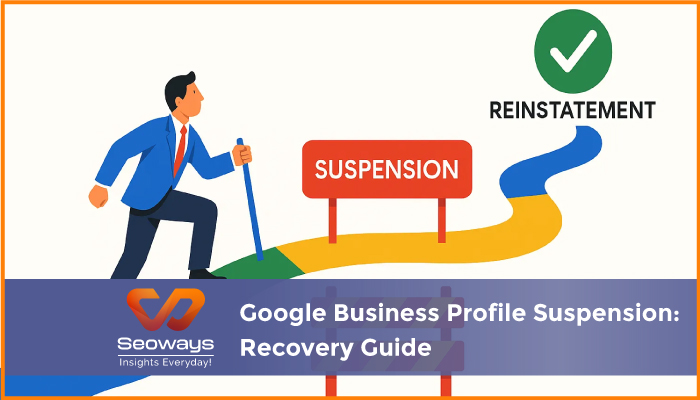
Getting suspended on Google Business Profile can feel like a punch to the gut. One day your business is visible on Google Maps and local search results, and the next day, poof, your listing is gone. I remember a local bakery client I worked with last year. They woke up one morning to find their profile suspended. For a small business that relied heavily on foot traffic and local SEO, this was a nightmare. But recovering from suspension is possible if you understand the reasons, follow the right steps, and act quickly.
In this guide, we will break down why suspensions happen, what to do immediately, and how to recover your Google Business Profile to regain visibility.
Google has strict guidelines to maintain the quality and reliability of its local search results. Violating these guidelines, even unintentionally, can lead to a suspension.
Understanding the reason behind your suspension is the first step toward recovery.
Not all suspensions are the same. Knowing the type can help you determine your next steps.
| Suspension Type | Description | Example |
| Soft Suspension | Your profile is visible but limited in search results | Users see your listing but cannot claim or edit it |
| Hard Suspension | Profile is completely removed from Google search | The bakery client could not find their listing at all |
| User Initiated | Google flags your actions on the account | Multiple ownership requests flagged by Google |
| Algorithmic | Automatic suspension due to policy triggers | Keywords in business name violated guidelines |
Recovering a Google Business Profile takes patience and careful attention to detail. Here is a step-by-step approach:
Before doing anything, read Google’s official guidelines. Make sure your business listing complies with:
In my experience, businesses that overlook even small details often face repeated suspensions.
Check your email and Google Business Profile dashboard for any notifications from Google. They often provide a hint about why your account was suspended.
Update your profile to comply with Google’s guidelines. Double check:
For example, my bakery client updated their address from a virtual mailbox to a physical location with signage and added correct opening hours.
Once you have fixed all issues, submit a reinstatement request via Google’s support form. Be clear and honest about the changes you made. Include supporting documentation if required, such as:
After submitting the request, be patient. Google may take a few days to review. Avoid repeatedly submitting requests, as this can delay the process.
Once your profile is reinstated, continue monitoring it regularly. Avoid actions that could trigger another suspension, such as adding keyword heavy names or multiple duplicate listings.
The bakery client’s reinstatement took about two weeks. We provided:
After Google reviewed the request, the profile was reinstated, and traffic from local search gradually returned to previous levels. This experience reinforced that proper documentation and adherence to guidelines are crucial.
A Google Business Profile suspension is stressful, but it is not the end of the world. By understanding why suspensions occur, carefully reviewing your profile, submitting a detailed reinstatement request, and maintaining compliance, you can recover and restore your local search visibility.
From my experience, businesses that approach recovery methodically, provide clear documentation, and avoid shortcuts are the ones that successfully regain their profiles and even improve their local SEO performance.
| Section | Key Points | Purpose |
| Why Suspensions Happen | Common causes like inaccurate info, spam | Understand why accounts get flagged |
| Types of Suspensions | Soft, hard, algorithmic, user initiated | Helps identify the severity |
| Steps to Recover | Review guidelines, fix issues, request reinstatement | Actionable recovery plan |
| Real Life Example | Bakery client case study | Adds authenticity and context |
| Tips to Prevent Future Suspensions | NAP consistency, avoid spam, staff training | Prevent recurrence |
| Conclusion | Patience, compliance, documentation | Summarizes recovery strategy |

Request your best quote today!”

With the #1 Digital Marketing Agency!
We specialize in SEO, driving traffic, enhancing online visibility, and transforming markets with innovative strategies.
Seoways LLP,
1st Floor, SKK Complex,
Mohanur Road,
TN – 637001
Skype/Telegram: Seoways
Phone: +91 959 77 00 888